


Extended Detection and Response (XDR): A Practical Guide for Security Teams
Key points
What XDR is, how it turns scattered alerts into one incident, where it is genuinely useful, its limits, and how to choose and roll it out.
Attacks rarely stay in one place. A phishing email leads to malware on a laptop, stolen credentials, and data taken from the cloud. Each security tool sees only its own piece, so security teams drown in unrelated alerts while the real attack slips through. Extended Detection and Response (XDR) was created to connect those pieces. In our earlier article, Is EDR Alone Enough?, we explained why endpoint protection alone is not enough. This guide goes further: how XDR works in practice, where it is genuinely useful, its limits, and how to choose and roll it out.
What XDR is
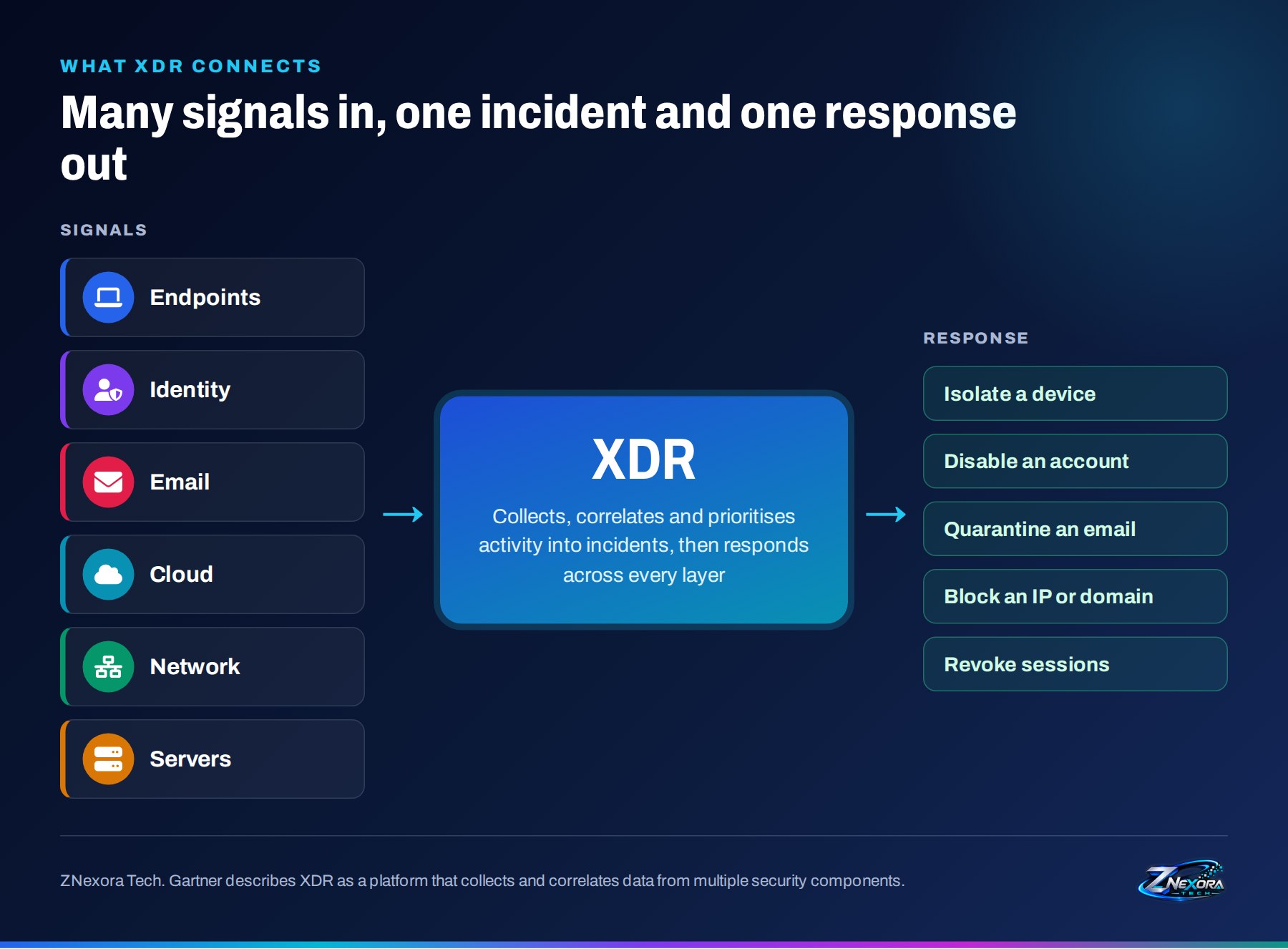
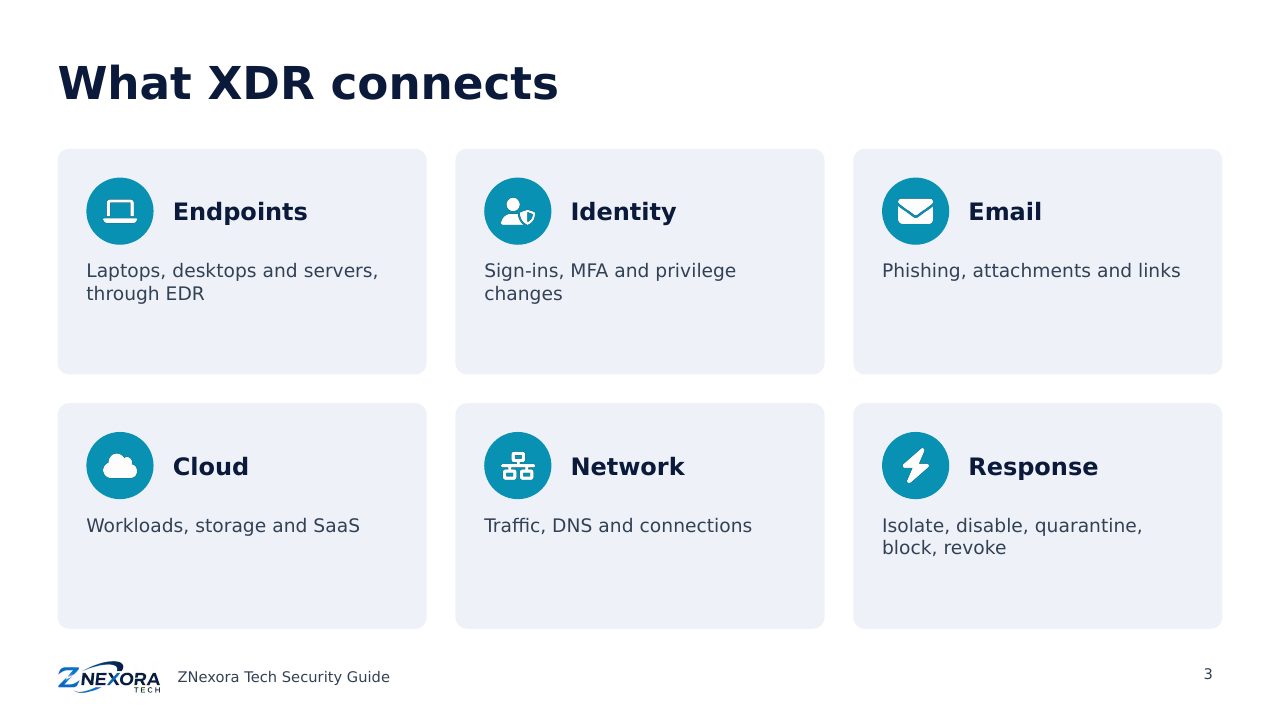
Gartner describes XDR as a unified security incident detection and response platform that automatically collects and correlates data from multiple security components. In practice, an XDR platform brings together signals from:
- Endpoints: laptops, desktops and servers, usually through an EDR agent.
- Identity: sign-ins, MFA events and privilege changes.
- Email: phishing, malicious attachments and suspicious links.
- Cloud: workloads, storage and SaaS applications.
- Network: traffic, DNS and connections to known malicious infrastructure.
It then responds across the same layers: isolating a device, disabling an account, quarantining an email, blocking an address or revoking sessions.
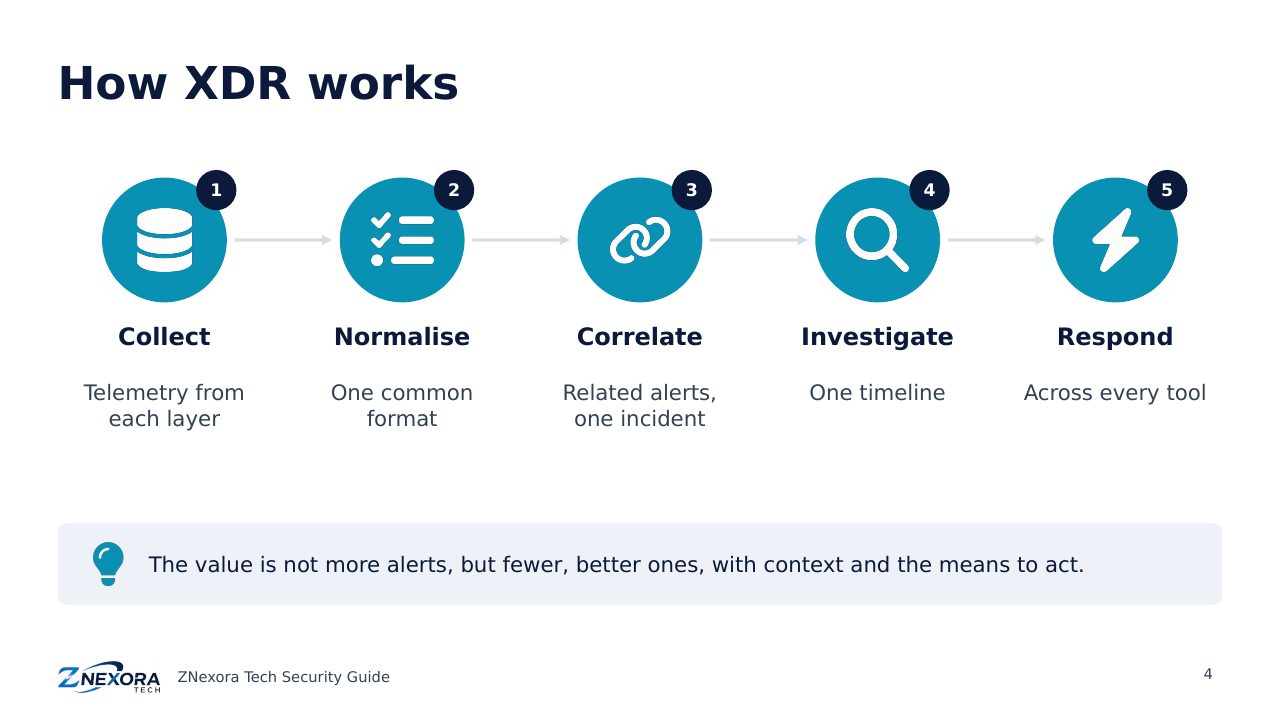
How XDR works
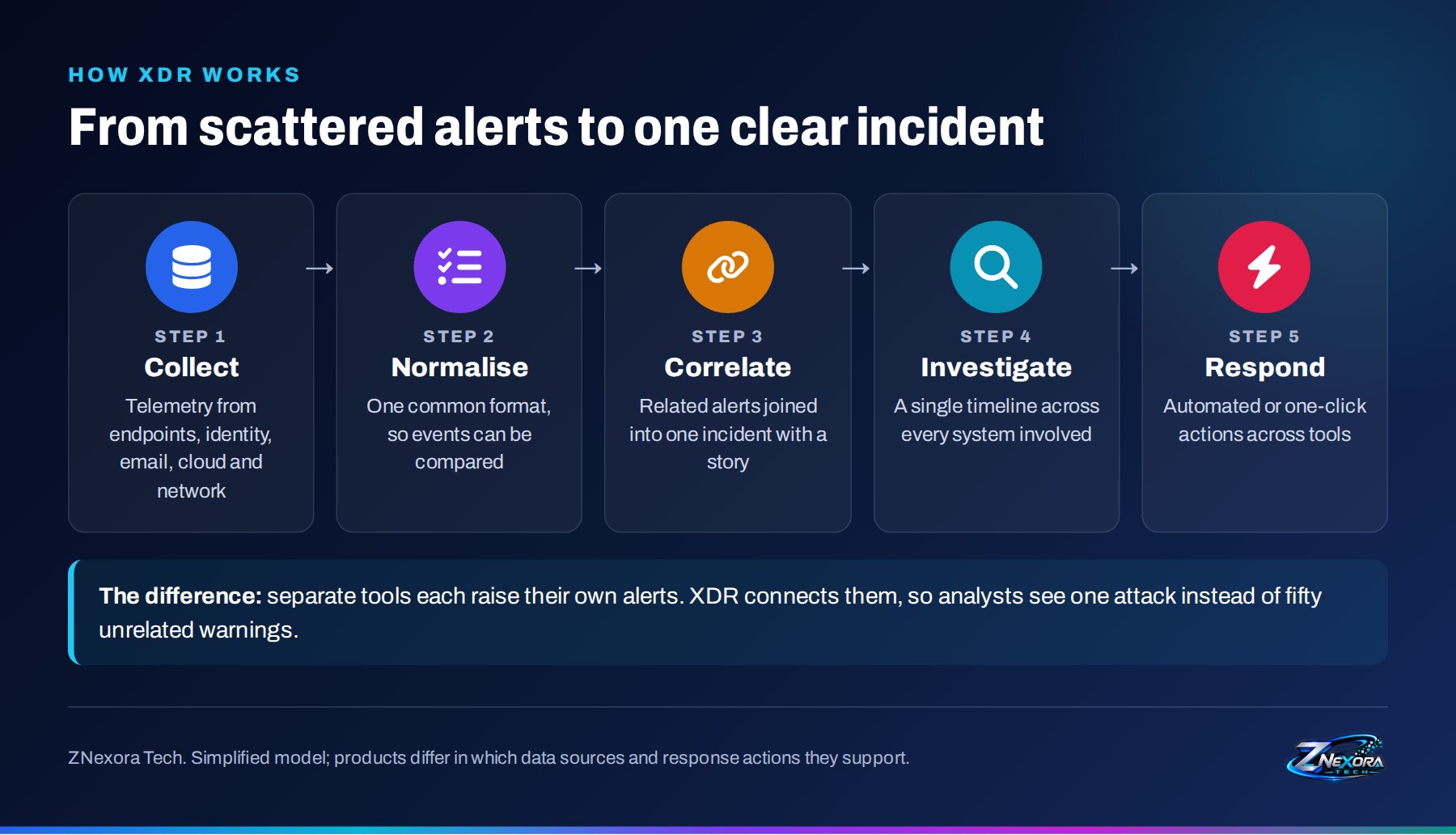
- Collect. Telemetry flows in from each security layer.
- Normalise. Events are converted into a common format, so a sign-in, a process and an email can be compared.
- Correlate. Related events are linked into a single incident, often using techniques mapped to MITRE ATT&CK, the public catalogue of attacker behaviour.
- Investigate. Analysts see one timeline across every system involved, instead of switching between consoles.
- Respond. Containment actions run automatically or with one click, across tools.
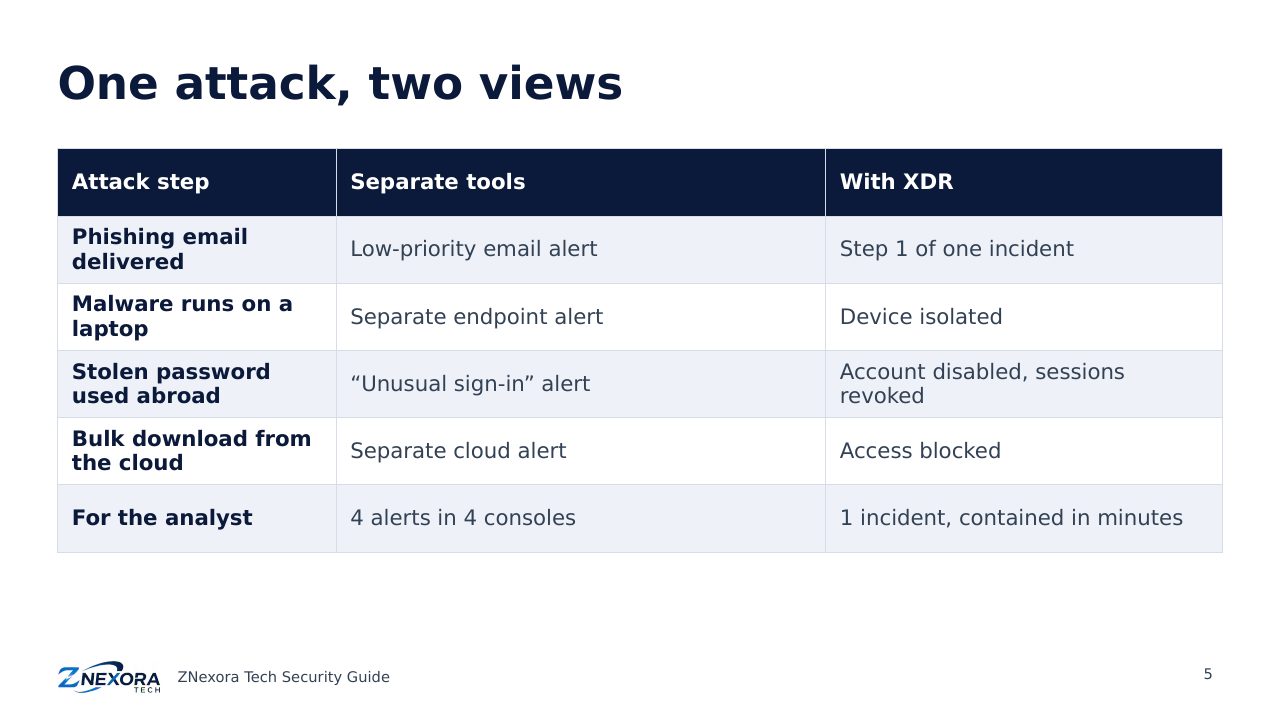
One attack, two views
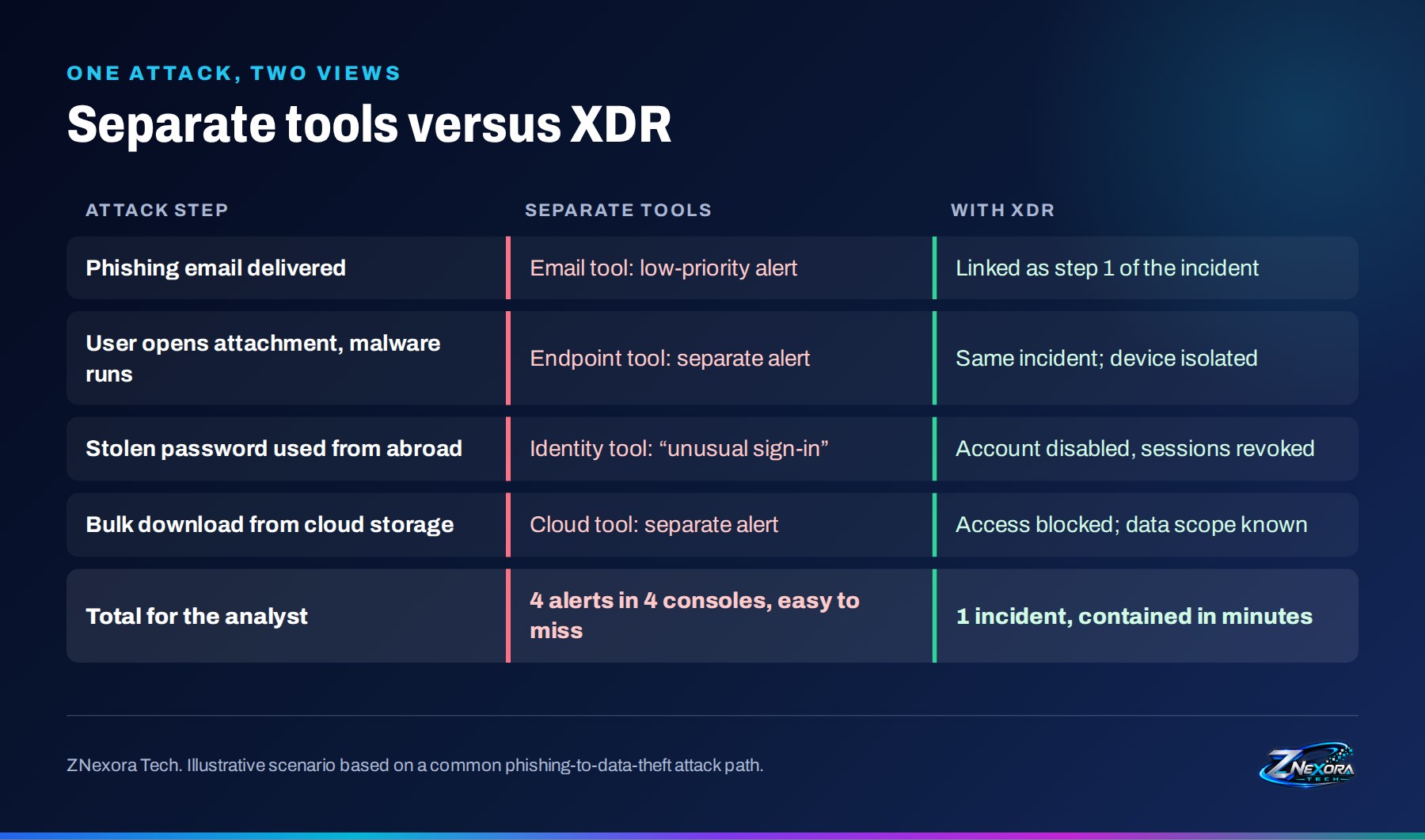
Consider a common attack path: a phishing email, malware on a laptop, a stolen password used from another country, and a bulk download from cloud storage. With separate tools, an analyst receives four alerts in four consoles, each looking minor on its own, and may not connect them for hours or days. With XDR, the same events appear as one incident with a clear story, and the response can isolate the device, disable the account and revoke its sessions within minutes.
This is the core value of XDR: not more alerts, but fewer, better ones, with context and the means to act.
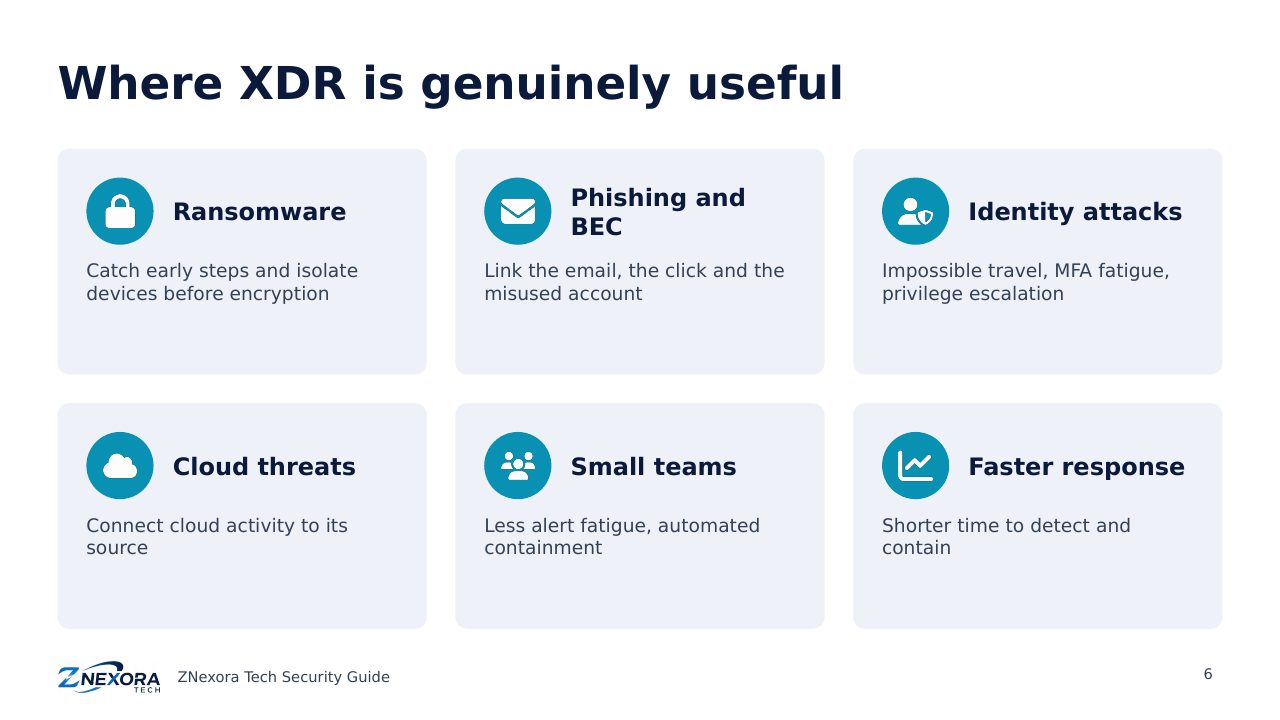
Where XDR is genuinely useful
- Ransomware: spotting the early steps (initial access, credential theft, lateral movement) and isolating devices before encryption starts.
- Phishing and business email compromise: linking a malicious email to the user who clicked and the account that was then misused.
- Identity attacks: detecting impossible travel, MFA fatigue and privilege escalation, and responding by disabling accounts and revoking sessions.
- Cloud threats: connecting suspicious cloud activity to the endpoint or identity it came from.
- Small security teams: reducing alert fatigue and automating routine containment, which is often the biggest benefit for organisations without a large SOC.
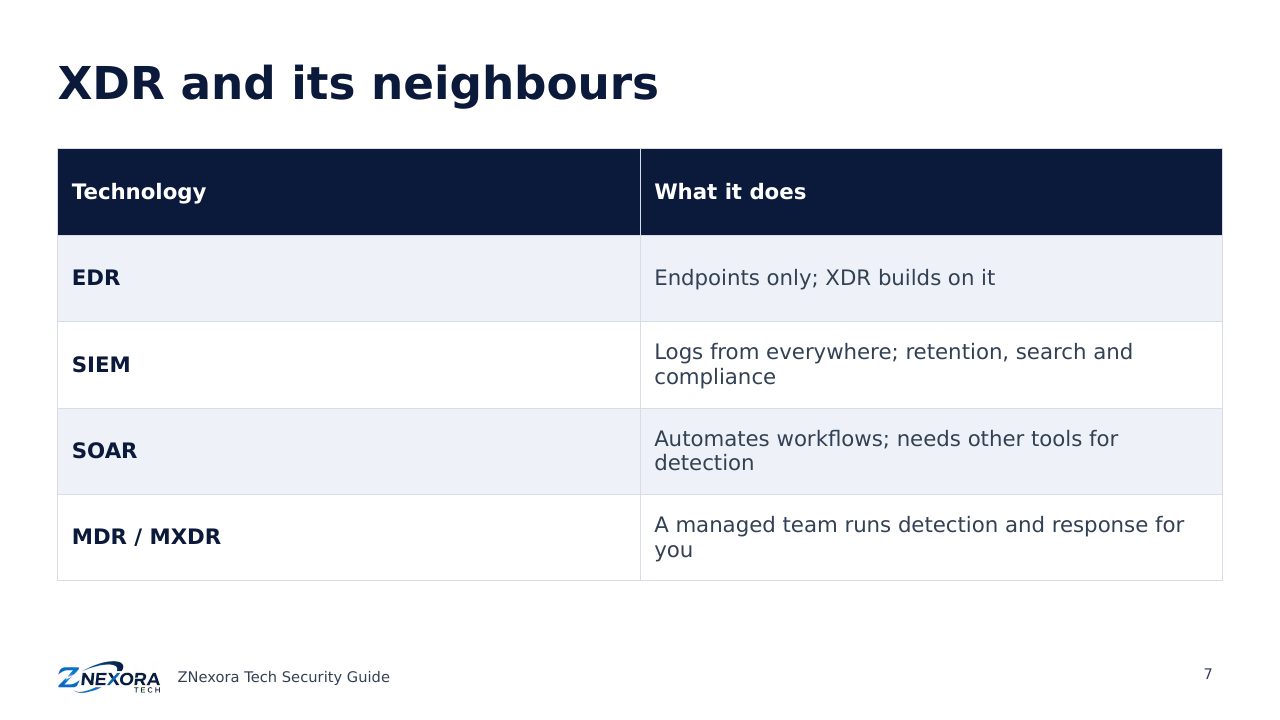
XDR, EDR, SIEM, SOAR and MDR
| Technology | What it does, and how it relates to XDR |
|---|---|
| EDR | Detects and responds to threats on endpoints only. XDR usually builds on EDR and extends it to other layers. |
| SIEM | Collects and stores logs from almost any source for search, correlation and compliance. Strong for long-term retention and audit; XDR is more focused on detection and response. |
| SOAR | Automates workflows across tools, but relies on other products for detection. Many XDR platforms include basic SOAR-style automation. |
| MDR / MXDR | A managed service: an external team runs detection and response for you, often using XDR technology. |
These categories are converging: many vendors now combine XDR, SIEM and automation in one platform. Focus on the capabilities you need rather than the label.
Native or open XDR?
- Native XDR: one vendor’s products (endpoint, email, identity, cloud) working together. Faster to deploy and tightly integrated, but it ties you to that vendor.
- Open XDR: connects tools from different vendors. More flexible and protects existing investments, but depends on the quality of each integration.
Organisations already standardised on one vendor often benefit from native XDR; those with a mix of best-of-breed tools usually look at open XDR.
The limits: what XDR does not do
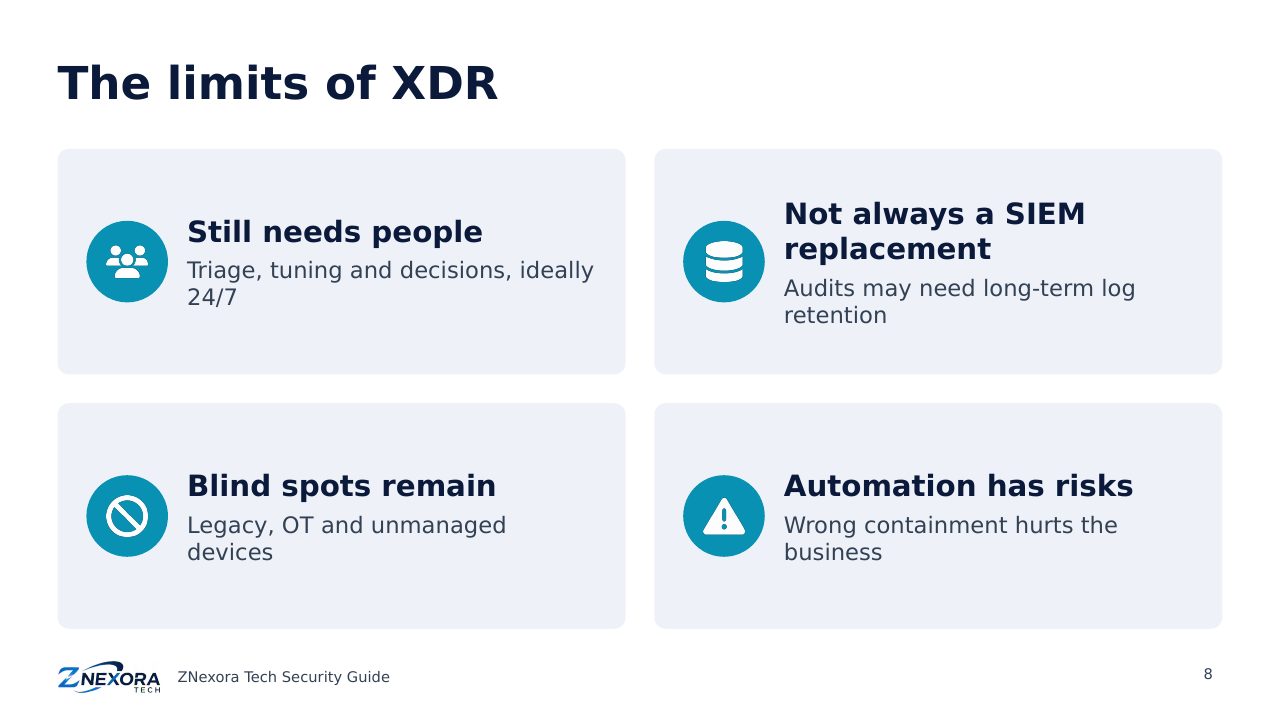
- It does not replace people. Someone still has to triage incidents, tune detections and decide on actions, around the clock if attacks can happen at night. If you do not have that team, consider a managed (MXDR) service.
- It is not always a SIEM replacement. Regulated organisations often still need long-term log retention and broad log coverage for audits.
- It only sees what it is connected to. Legacy systems, operational technology and unmanaged devices may remain blind spots.
- Automation can cause damage. Automatically isolating a critical server or disabling an executive’s account at the wrong moment has business impact. Start with one-click responses and automate gradually.
- Vendor lock-in and cost. Licensing is often per user or device, and switching later can be hard.
How to choose and roll out XDR
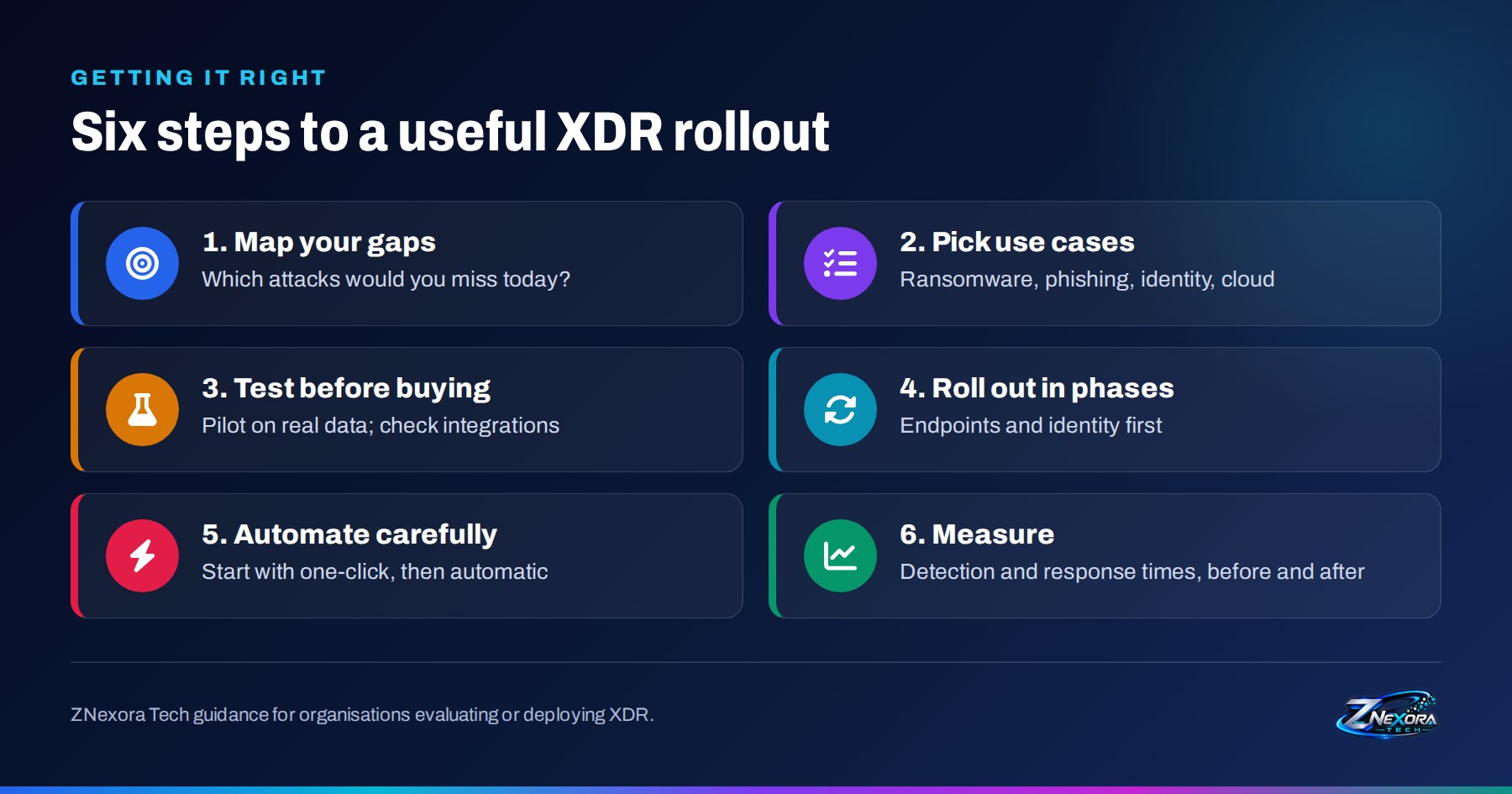
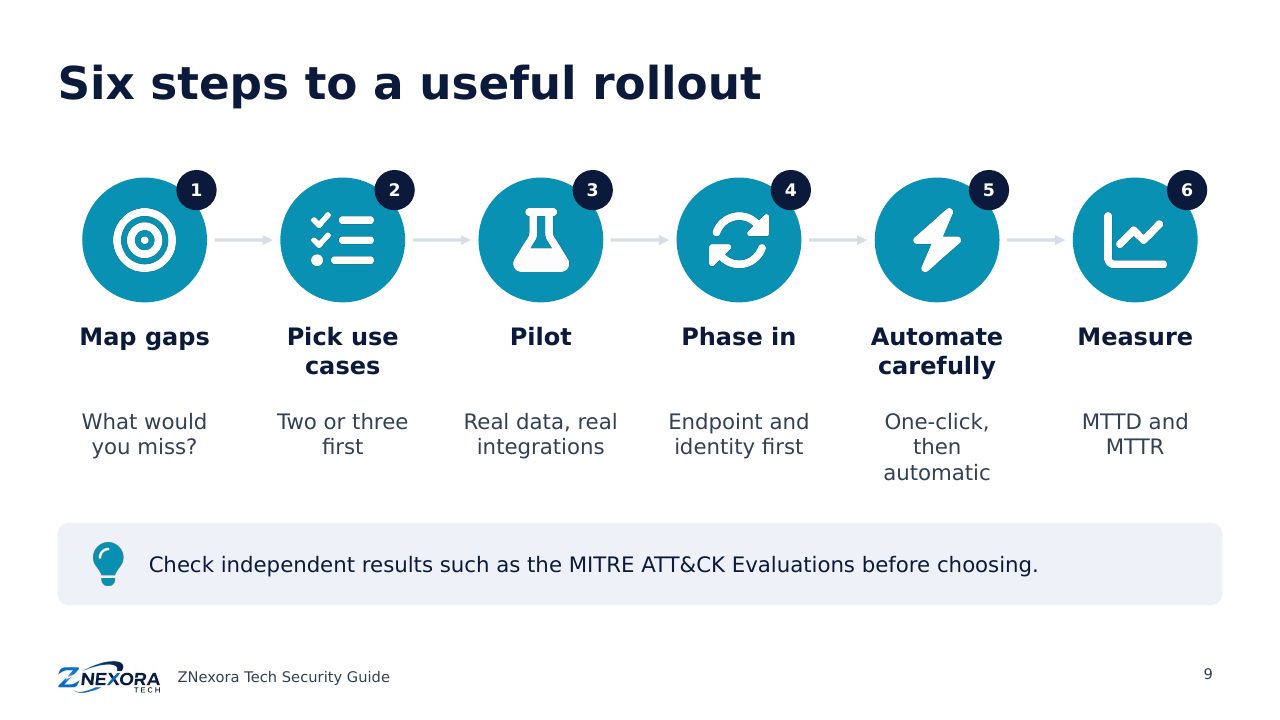
- Map your gaps. List the attacks you could not detect or contain quickly today, using recent incidents and threat reports.
- Pick use cases. Start with two or three that matter most, such as ransomware, phishing and identity compromise.
- Test before buying. Run a pilot on your own environment. Check the integrations you need, the response actions available, data retention, and independent results such as the MITRE ATT&CK Evaluations.
- Roll out in phases. Endpoints and identity first, then email and cloud.
- Automate carefully. Begin with one-click responses, then automate actions you trust, with clear exceptions for critical systems.
- Measure. Track mean time to detect (MTTD), mean time to respond (MTTR), alerts per incident and coverage, before and after.
Questions to ask vendors
- Which of our existing tools does it integrate with, and in both directions (read and respond)?
- Which response actions can it take, and which can be automated safely?
- How long is data kept, and what does longer retention cost?
- How are detections mapped to MITRE ATT&CK, and how are false positives tuned?
- Is a managed service available if we cannot staff 24/7 monitoring?
The takeaway
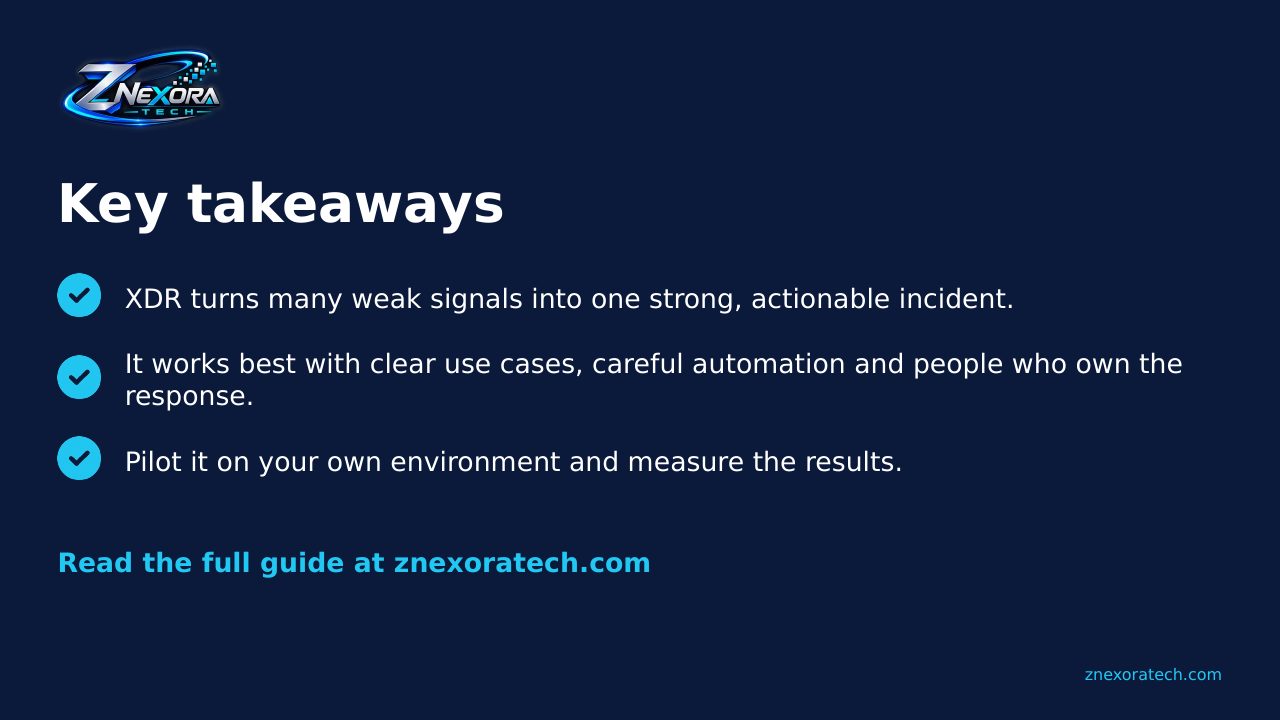
XDR is useful when it turns many weak signals into one strong, actionable incident.
Attackers move across email, endpoints, identities and the cloud, so defenders need to see across them too. XDR helps by connecting signals, cutting noise and speeding up response, but it works best with clear use cases, careful automation and people who own the response. Start with the attacks that worry you most, prove the value in a pilot, and measure the results.
Sources
- Gartner definition of XDR, quoted by CrowdStrike
- Wikipedia: Extended detection and response
- Trend Micro: What is extended detection and response?
- Venn: XDR in 2026: use cases, challenges and best practices
- MITRE ATT&CK
- ZNexora Tech: Is EDR Alone Enough? Why Do We Need XDR
Slides
Thank you for reading!
Let’s continue to build a safer and more trustworthy digital future together.
Follow ZNexora Tech
Stay curious. Stay secure. Stay ahead.